
EasyRust Panel · Rust server admin panel
Rule the island.
Your first server is a name, a number of players and a button: the panel downloads Rust, generates the map and starts it. From then on, a wipe that lands at three in the morning without you, a raid you watch while it happens, a plugin swapped between rounds. You never open a config file.
You do not need to know servers.
Running Rust normally means a Linux box, a 6 GB Steam download, a config file nobody explains and a plugin loader you install by hand. That is the part we already did. What is left for you is a name and a button.
-
Your first server is three fields
A name, how many players fit and the map size. Press create: the panel downloads Rust from Steam, generates the map and starts the server. The first time takes a few minutes because the game itself is 6 GB. You can close the screen, it keeps working.
-
No config files. Ever.
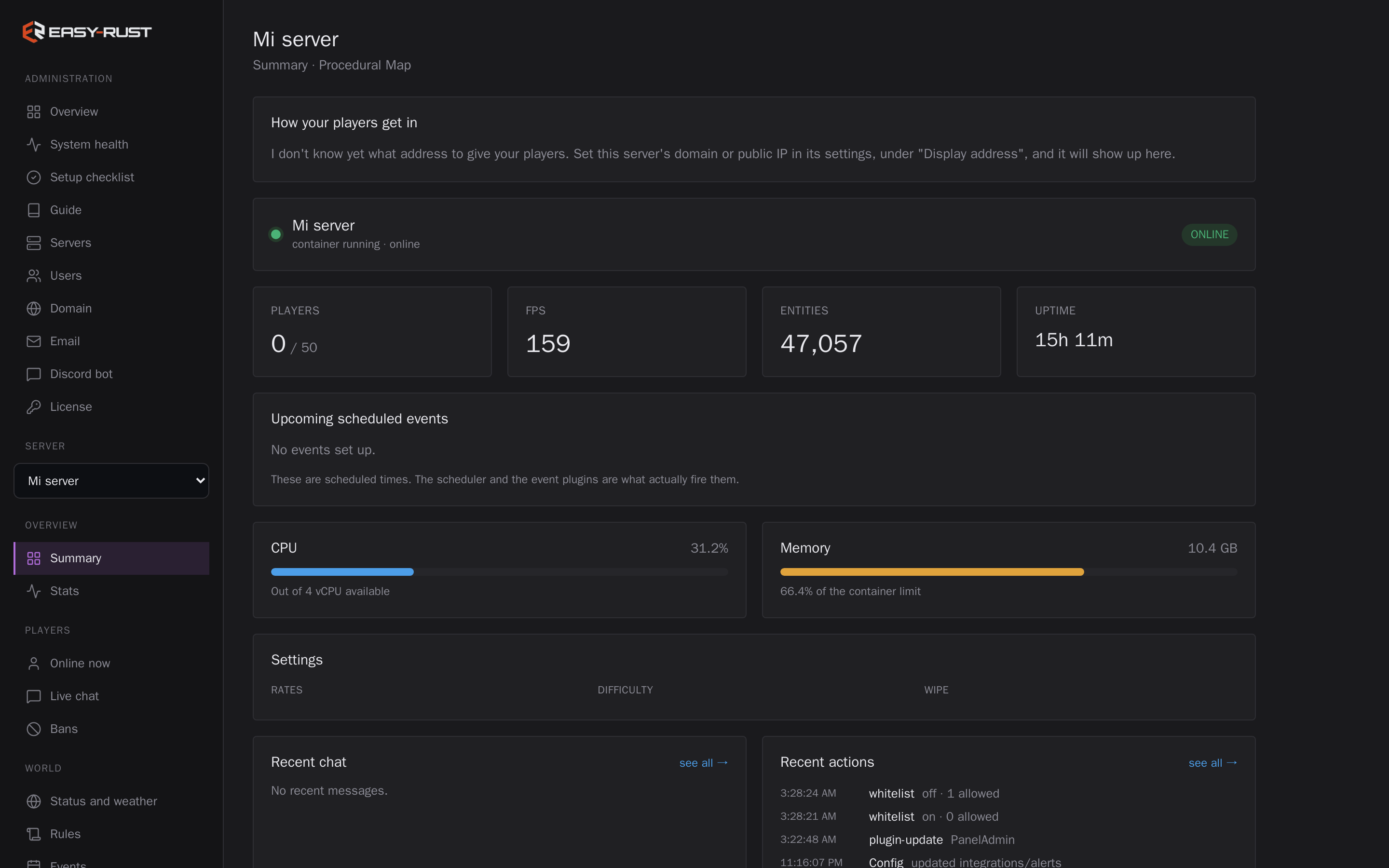
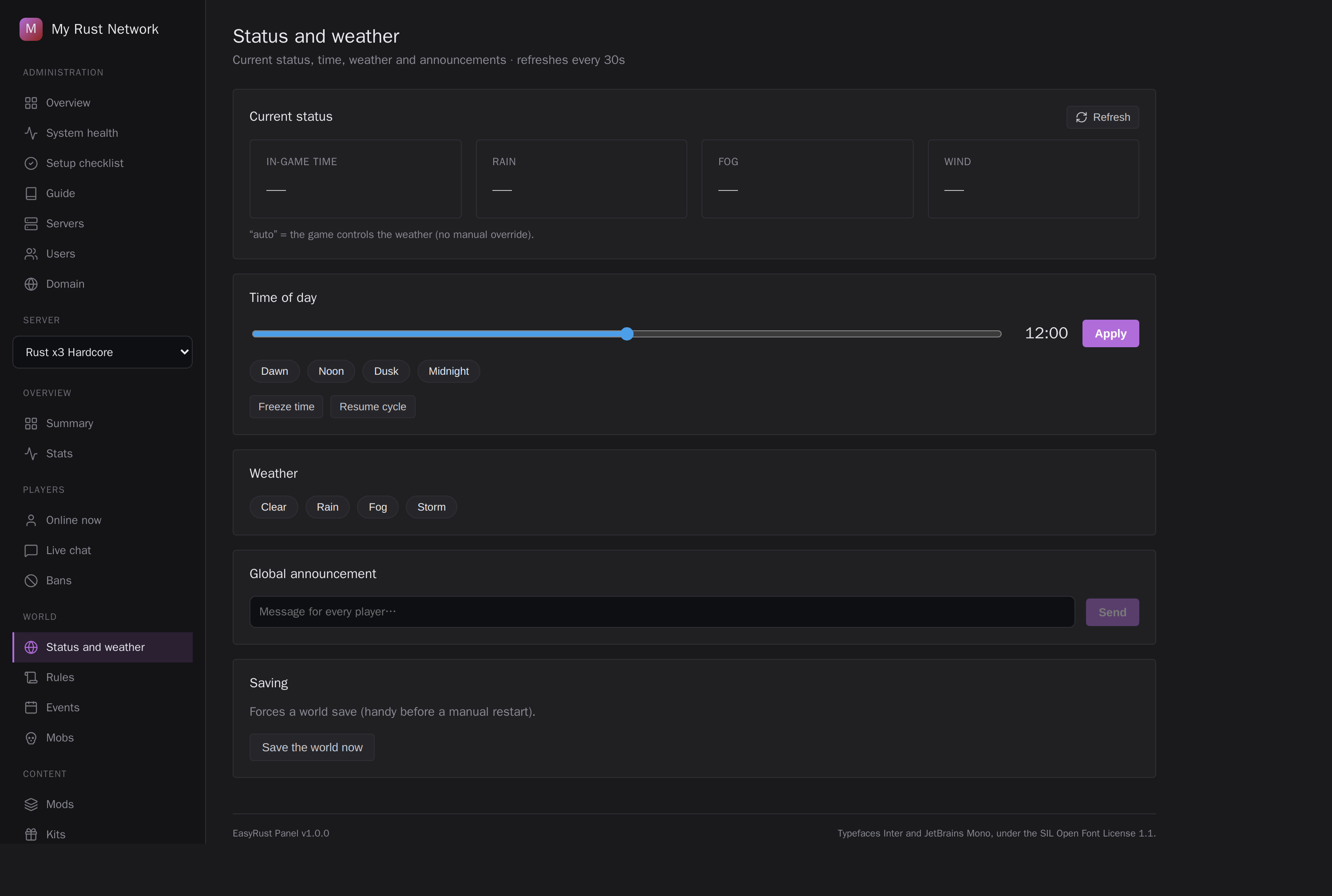
Gather rates, stack sizes, loot, kits, events, weather, time of day, the welcome screen, the rules: all of it has a button. There is no server.cfg to open and no line to memorise.
-
Carbon and the plugins are already in
The server boots with Carbon loaded and the panel utilities running. Adding a plugin is a click, not an scp and a restart at two in the morning.
-
Set the wipe once and forget it
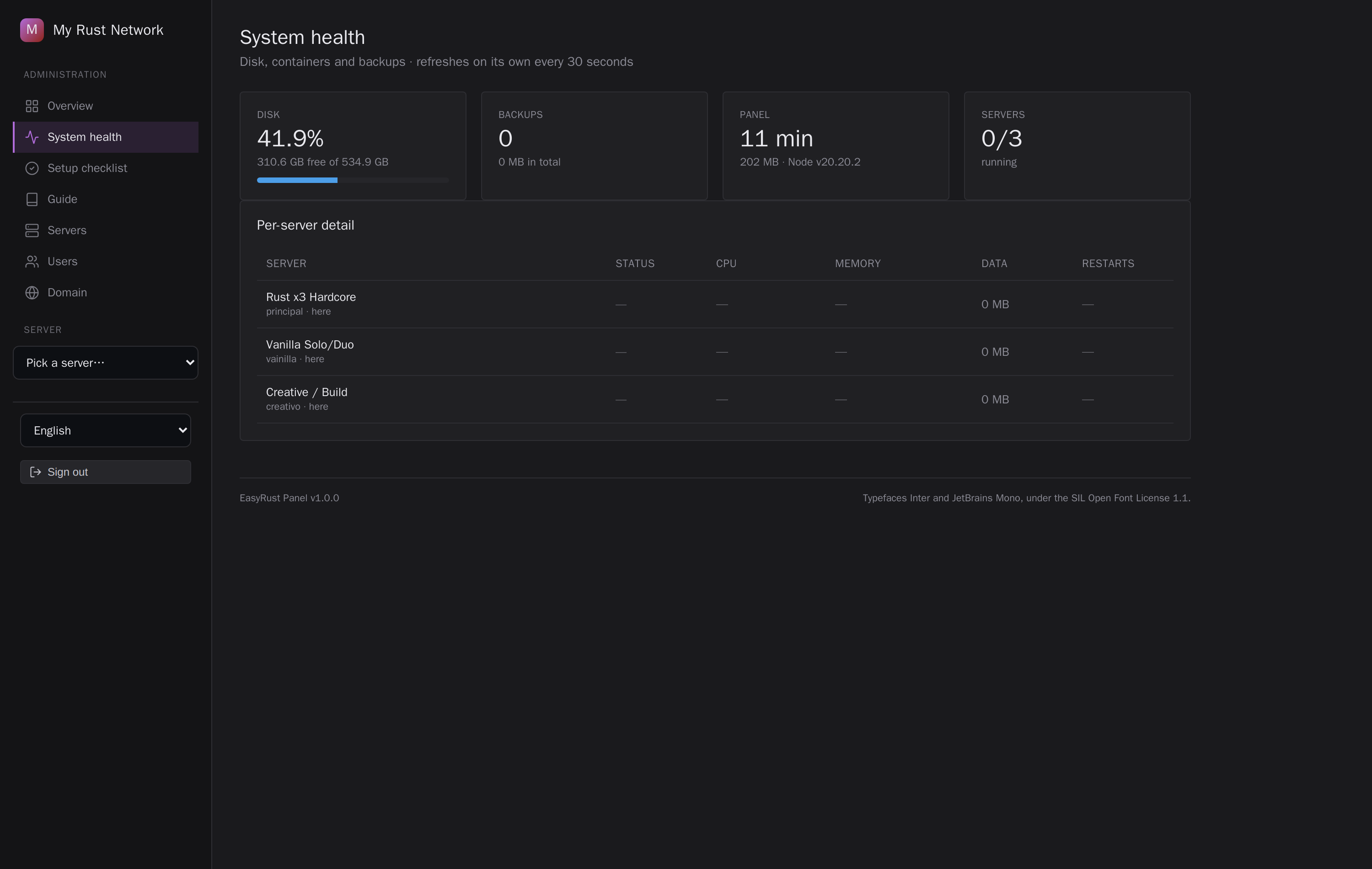
It runs at the hour you chose, whether you are there or not. Same for backups and restarts. The things that used to need you awake now do not.
Inside the panel
Plans
Pay once. Twelve months of updates included, renewal at half price.
The price you see is the price you pay: tax included, wherever you are. The payment provider (Lemon Squeezy or Paddle) is the merchant of record and issues the receipt.
Solo
Recommended
Pro
Studio
30 days to ask for a refund: write to us and we return the full amount, no reason needed. Downloading the panel does not take that away. Refunds
In every plan
- Scheduled wipes
- uMod and Carbon plugins
- Live players
- Automatic backups
- Flood protection
- Store for your players
- No servers knowledge needed
- Every screen, nothing locked
- Runs on a VPS of your own
- Move the licence between machines
Before you buy
What the machine needs, how it installs and what happens after you pay. Taken from the guide that ships with the panel.
Latest version 1.4.22
What changed
The update screen now shows progress from the moment you press Update - a spinner, each step, "reconnecting" while the panel restarts - and reloads itself when done. It no longer disagrees with the ne
What you need
- A Linux VPS or dedicated server where your user can run sudo. Debian, Ubuntu, Fedora, Rocky, Alma, Arch, openSUSE and Alpine all work.
- Docker is not a requirement: if the machine does not have it, the installer puts it there.
- Per Rust server: 8 GB of RAM (16 GB for a big map or a full server), 20 GB of disk and 2 CPU cores. Running several? Add them up: an empty server on a 3000 map already uses about 5 GB.
- Port 443 (TCP) for the panel, and the game and query ports for each Rust server (UDP 28015 and 28017 for the first one).
- A domain of your own is optional. With one, the panel gets a Let's Encrypt certificate by itself; without one, it uses a self-signed certificate.
Install it in three lines
Upload the file from your account to the VPS and run:
tar xzf rust-1.4.22.tar.gz
cd EasyRust-Panel-1.4.22
bash install.sh
It asks for your domain, a name for the panel and your license key. It downloads the panel once (about 370 MB) and prints the address and the password to log in. The first Rust server then takes 3 to 5 minutes to start: it downloads the game and generates the map.
After you pay
- Your license key shows up in your account and arrives by email.
- You download the panel from your account: a .tar.gz of about 10 MB.
- Updates are a button inside the panel, and updating does not restart your Rust servers. Your plan includes twelve months of them.
- The license binds to your installation. Moving it to a new VPS is a button in the panel, once every 30 days.
- If the panel cannot reach our license check, it keeps working for 14 days. Even after that it never locks you out: it only stops you from adding one more server.
Questions server owners ask
Does it run on Windows?
The panel runs on a Linux machine. You use it from any browser, including on Windows.
Can I use it with a server rented from a game host?
No. EasyRust installs and runs the Rust servers itself, on a VPS or dedicated server where you can use sudo. It is not a plugin for a server someone else runs.
Carbon or Oxide?
Carbon, already installed and loaded when the server starts. Adding a plugin is a click in the panel.
How many servers can I run?
As many as your plan covers, shown on each plan above. The panel enforces it, and the machine needs room for them.
What if it does not work for me?
You have 30 days to ask for your money back, no reason needed, even after downloading. Write to support and that is it.
How is it different from Pterodactyl, AMP or LinuxGSM?
Those are general tools for many games: Pterodactyl and AMP are multi-game panels, and LinuxGSM is a set of command-line scripts. EasyRust only does Rust, so wipes, Carbon plugins, loot, kits, events and players each have their own screen, with no config files to edit.
And from an RCON tool like RustAdmin?
An RCON client talks to a server that is already running. EasyRust also installs, starts, updates, backs up and wipes it.
Does it send my data anywhere?
Your players, chat, passwords and configs stay on your VPS. The panel only checks its license every 12 hours and whether there is a new version.